Indramat DKC Overtemperature Faults: Understanding F218, F219, and F220
21 May, 2026 | Bosch Rexroth Indramat DKC faults, Indramat DKC overtemperature faults, DKC F218 fault, DKC F219 fault, DKC F220 fault, Bosch Rexroth DKC troubleshooting, Indramat DKC repair, DKC drive overtemperature, DKC heatsink overtemperature, DKC motor overtemperature, DKC bleeder overtemperature, Indramat ECODRIVE fault codes, Bosch Rexroth ECODRIVE DKC, DKC11.3-100-7-FW fault
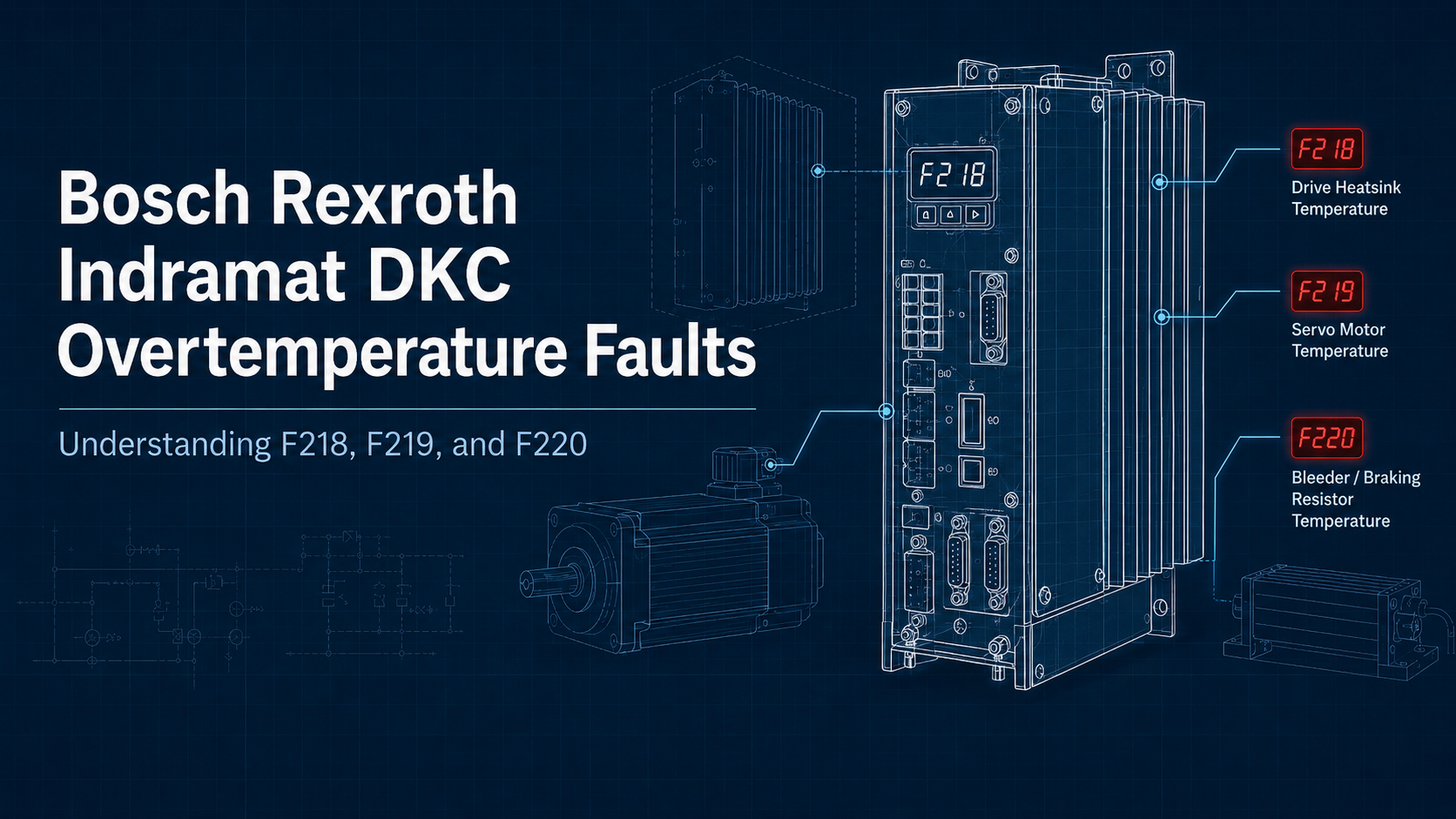
Indramat DKC drive controllers are designed to protect themselves, the connected motor, and the braking circuit when heat levels become unsafe. In the ECODRIVE DKC family, three of the most important temperature-related shutdowns are F218, F219, and F220. These faults may all appear as overtemperature problems, but they do not point to the same part of the system.
F218 is a drive controller cooling problem.
F219 is a motor temperature problem.
F220 is a regenerative braking resistor problem.
That distinction matters. Cleaning a cabinet filter may help with F218, but it will not solve a motor overload that triggers F219. Slowing a deceleration ramp may help with F220, but it will not fix a failed drive fan. For maintenance teams working with DKC units such as the DKC11.3-100-7-FW or DKC04.3-100-7-FW, identifying the correct fault area is the first step toward getting the machine running again.
For DKC repair, replacement, or refurbishment support, contact Indramat USA at sales@indrarmat-usa.com on this page or call 1-888-551-3082. Indramat USA is not an authorized Bosch Rexroth distributor.
Quick Difference Between F218, F219, and F220
Although all three codes involve heat, each one is tied to a different source of thermal stress.
Fault Code | Fault Area | What Is Getting Too Hot | Most Common Direction to Check |
F218 | Drive controller | Internal heatsink / power section | Cabinet cooling, airflow, heatsink, fan |
F219 | Servo motor | Motor windings or temperature circuit | Load, motor cooling, sensor wiring, tuning |
F220 | Braking circuit | Bleeder / regenerative resistor | Deceleration rate, braking energy, resistor sizing |
F218: Drive Heatsink Overtemperature
An F218 fault means the DKC drive controller has detected excessive temperature at the heatsink. The heatsink is responsible for pulling heat away from the drive’s internal power electronics. When it can no longer keep the power section within a safe range, the drive shuts down to prevent damage.
This fault is usually not caused by the motor directly. It is more often the result of poor heat removal from the drive cabinet or from the drive itself. A DKC unit can be electrically healthy and still trip F218 if it is installed in a hot, dusty, or poorly ventilated enclosure.
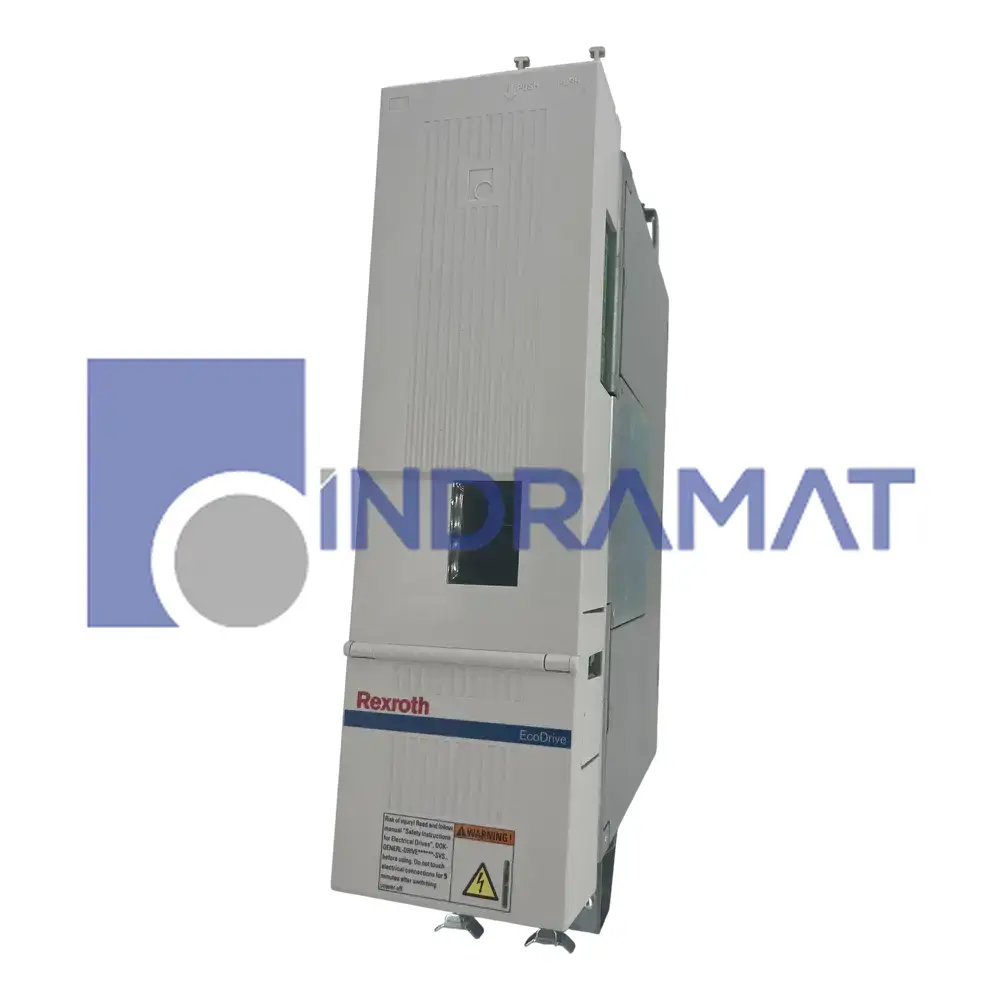
Common reasons for F218 include restricted airflow around the drive, clogged cabinet filters, dust-packed heatsink fins, failed cooling fans, high ambient cabinet temperature, or insufficient clearance around the drive. In older panels, dirt buildup is especially common. Even a thin layer of dust can reduce heat transfer enough to push the drive into a shutdown condition during heavier operation.
A high-output unit such as the DKC04.3-100-7-FW, rated for 100 A, needs reliable airflow because thermal stress rises quickly when cabinet temperature and current demand are both high. If the unit is mounted tightly between other components, or if cabinet cooling has degraded over time, F218 may appear even if the machine previously ran without issue.
To address F218, start with the cabinet environment. Check whether cabinet fans, air conditioning units, filters, and vents are working correctly. Make sure the drive has proper space around its cooling path. Power the system down safely and inspect the heatsink area for dust or blocked fins. If the drive uses an internal blower, confirm that it operates properly.
F219: Motor Overtemperature
An F219 fault means the drive has received an overtemperature signal from the connected servo motor. Indramat servo motors use internal temperature monitoring so the drive can stop operation before the windings are damaged. When the motor temperature rises beyond its allowable limit, the DKC shuts the axis down.
This fault should be treated as a motor-side issue first. The drive may be displaying the code, but the condition is tied to the motor, the temperature sensor circuit, the mechanical load, or the motor’s operating profile.
One common cause is mechanical overload. If the axis is jammed, binding, misaligned, or carrying more load than the motor can handle continuously, the motor will heat up. The same can happen when the machine cycle demands frequent acceleration, high torque, or long periods of operation without enough cooling time. A motor that is correctly sized for a light-duty process may overheat if the machine is later pushed into a more demanding production cycle.
Motor cooling problems can also create F219. High ambient temperature near the motor, blocked airflow, dirt on the motor housing, failed blowers, or poor heat dissipation can all contribute. Even if the motor is not mechanically overloaded, poor cooling can cause temperature to climb during normal operation.
The temperature feedback circuit should also be checked. A damaged cable, loose connector, broken thermistor lead, short, or open circuit can cause the drive to read the motor temperature incorrectly. If the fault appears immediately at startup, appears intermittently, or does not match the actual motor condition, wiring and sensor integrity become especially important.
Servo tuning can be another hidden cause. If the axis is unstable, oscillating, or constantly correcting position, the motor may draw more current than expected. This can generate heat without an obvious mechanical jam. When F219 appears alongside vibration, noise, rough motion, or repeated following issues, tuning and parameter matching should be reviewed.
To correct F219, let the motor cool before restarting the machine. Then inspect the mechanical system for drag, binding, or excess load. Review the duty cycle and confirm that the motor is not being asked to operate beyond its continuous rating. Check motor cooling, clean the motor surface, inspect any blower, and verify the temperature sensor wiring. If the motor or drive parameters were recently changed, confirm that the configuration matches the installed hardware.
If F219 continues after the load, cooling, wiring, and parameter setup have been checked, the motor may need professional evaluation. For repair or replacement support, contact Indramat USA at sales@indramat-usa.com or call 1-888-551-3082.

F220: Bleeder Resistor Overtemperature
An F220 fault points to the regenerative braking or bleeder resistor circuit. The bleeder resistor absorbs energy when the motor is braking and feeding energy back into the drive. If that returned energy is too high, or if the resistor cannot dissipate heat fast enough, the drive shuts down to protect the braking circuit.
This fault is usually tied to the motion profile and machine inertia rather than general cabinet temperature. A drive can be properly cooled and the motor can be operating normally, yet F220 can still occur if the machine is forcing too much braking energy into the resistor.
High-inertia loads are a common cause. When a heavy load is stopped quickly, the motor acts like a generator and sends energy back into the DC bus. That energy has to go somewhere. If the resistor system cannot absorb it, the drive trips F220. Frequent start-stop cycles can cause the same result because the resistor does not have enough time to cool between braking events.
Short deceleration ramps are another major trigger. The faster the drive is commanded to stop a load, the more intense the braking energy becomes. Emergency stops, repeated abrupt stops, downhill loads, and overhauling loads can all push the resistor beyond its thermal capacity.
The hardware should also be reviewed. Some DKC applications may rely on an internal bleeder resistor, while heavier applications may require an external resistor. If the external resistor is missing, incorrectly wired, damaged, undersized, or not matched to the application, F220 may appear repeatedly.
To correct F220, reduce the braking demand first. Lengthen the deceleration ramp if the process allows it. Lower maximum speed where possible. Avoid repeated hard stops without cooldown time. Since kinetic energy rises sharply with speed, even modest changes to speed and stopping behavior can reduce the amount of energy dumped into the resistor.
Common Corrective Actions
Fault | Practical First Checks | Longer-Term Fixes |
F218 | Clean cabinet filters, inspect heatsink, verify fans, check cabinet temperature | Improve enclosure cooling, restore airflow clearance, replace failed blower or service drive |
F219 | Let motor cool, inspect load, check sensor cable, verify motor cooling | Reduce duty cycle, correct mechanical binding, retune axis, resize motor if overloaded |
F220 | Review deceleration ramp, check braking resistor wiring, allow resistor cooldown | Add or upgrade external resistor, reduce braking energy, review drive and application sizing |
Repair or Replacement Considerations
F218, F219, and F220 are protective shutdowns, but repeated thermal faults can eventually lead to real component damage. A drive that repeatedly overheats may suffer from aging capacitors, weakened fans, stressed power components, or damaged internal connections. A motor that repeatedly overheats may experience insulation damage. A resistor system that is pushed beyond its limit can fail or damage related braking circuitry.
If the fault returns after normal corrective steps, the issue may no longer be a simple adjustment. The drive, motor, resistor, or related cabling may need to be inspected, repaired, or replaced.
Indramat USA supports repair and replacement options for Indramat DKC drive controllers and related legacy components. If your machine is down because of a DKC overtemperature fault, use the quote form below or call 1-888-551-3082.