Request a Quote
Bosch Rexroth DKC Drive Repair & Troubleshooting: Common Fault Codes and Conditions
Receive a quote NOW for all DKC drive repairs by requesting a quote here. You can also send an email to sales@indramat-usa.com. If you’d rather speak to a real person, call 1-919-443-0207. You’ll receive a quote within 15 minutes during business hours; your time is important and we put you first when offering industry leading, lightning-fast lead times.
The DKC EcoDrive series are modular servo drive controllers used in motion control. They implement integrated position control and interface via PROFIBUS-DP. DKC drives display alphanumeric fault codes (letters+numbers) on the front panel to indicate errors or status. Faults prefixed by “F” (e.g. F218) are errors that cause drive shutdown; “E” codes are warnings; “A/C/H” codes are status. Diagnosing a DKC fault involves reading the displayed code, consulting manuals for its meaning, and performing targeted checks. Typical problems include overheated electronics, power supply issues, encoder failures, or configuration errors. Below, each significant DKC fault code is listed with its likely causes, diagnostics, and repair steps. After fixes are applied, a drive reset (via enable input or S1 reset button) clears the fault.
Common DKC Fault Conditions That Lead Customers to Replace a Drive
DKC servo drive problems often point to specific internal or system-level failures. Thermal faults usually suggest failed cooling fans, poor enclosure ventilation, dust buildup, or weakened temperature sensing. Regeneration faults may indicate excess braking energy, stressed bleeder circuits, or resistor problems. Undervoltage faults can be tied to unstable incoming power, degraded DC link components, or failing internal power sections. Encoder-related faults may come from damaged feedback circuits, unstable signal handling, or connector issues that have progressed beyond a quick field correction.
When these issues become repeat failures, many customers choose to purchase a replacement DKC drive controller rather than continue cycling the machine through resets and short-lived fixes. For older Bosch Rexroth EcoDrive systems, that approach can be especially important because repeated electrical stress often spreads damage to neighboring components if the original fault is not addressed quickly.
Fault Code | Display Error | Likely Cause | Remedy (Repair) |
F218 | “F2 18” or F218, drive trips on hot heatsink | Heatsink too hot: blocked vents, failed fan, high ambient | Power off, cool down. Clean heatsink/ventilation, ensure fans run or replace blower. Improve cabinet cooling. If persists, replace the temperature sensor or drive. |
F219 | “F2 19”, drive gently decelerates on overload | Motor over-temp: excessive load, faulty motor thermistor | Reduce motor load or allow cool down. Check/replace motor temp sensor wiring. Repair or change motor if damaged. Reset drive. |
F220 | “F2 20”, drive shutdown (regenerative overload) | Bleeder resistor overheated by too much regen energy | Lower accel/decel rates. Install/add external brake resistor or upgrade bleeder module. Verify resistor and cooling; replace if burnt. |
F226 | “F2 26”, drive shuts off (bus undervoltage) | DC bus undervoltage: mains sag/interruption, bad caps | Check AC supply, fuses, breakers. Measure DC link voltage. Replace bad power supply or DC-link capacitors. Tighten bus connections. |
F242 | “F2 42”, fault on encoder input | External encoder failure (signal low) | Inspect/replace encoder cable and connectors. Replace faulty external encoder. Ensure proper shielding and installation. |
F236 | “F2 36”, dual-encoder mismatch (non-fatal) | Excessive difference between dual encoder feedbacks | Verify encoder settings (types/resolutions) in parameters. Fix mechanical coupling/play. Check second encoder cable. Reset error after correction. |
E221 | “E2 21”, warning (motor temp sensor def.) | Motor temperature sensor circuit faulty | Inspect wiring; replace thermistor or motor if needed. Continue, as drive may remain enabled but with limited protection. |
E231/E233 | “E2 31”/“E2 33”, jog/indexing warnings | Jog direction not set or homing index fault | Ensure the correct direction is selected for jog; check limit switch or index pulse signals. Correct encoder indexing parameters. |
E249/E251 | “E2 49”/“E2 51”, position/velocity mismatch | Parameter conflict: set velocity/profile too high | Adjust parameter limits (S-0-0259, S-0-0260, etc.) or reduce commanded velocities. Ensure motion profile aligns with limits. |

Diagnostic and Repair Tips
- Initial Checks: Always begin troubleshooting by verifying power and ground. Ensure the drive has correct mains input and DC bus is charged. Confirm the 24V control supply is present. Check that the enable line is not being held low by an external fault (e.g. E-stop or GFCI).
- Fault Clearing: After any fix, clear the fault by cutting and restoring enable or pressing the front reset (S1). Never continually reset without addressing the cause.
- Module Removal: DKC drives often have removable interface or power modules. If a particular card (e.g. logic board) is suspected, exchange it with a known-good unit if available, to isolate the fault.
- Measuring Signals: Use an oscilloscope or multimeter to check critical signals (motor feedback, encoder signals, DC bus) in real time. Compare with manual specifications. For resolver/encoder tests, use a scope to view sine/cosine signals or pulse trains.
- Software Diagnostics: Many DKC faults are listed in the manuals under diagnostics. If connected via configuration software or serial, read any extended error messages. Parameter S-0-0261 (extended diagnostics) can show cause codes.
- Firmware Mismatch: Upgrading or swapping power modules may require matching firmware versions. If replacing hardware, ensure the firmware card (NovRam) is compatible or updated via RS232.
- Record and Monitor: Keep a log of fault occurrences and operating conditions (e.g. ambient temp, loads) to spot patterns. Temperature-related faults often correlate with seasonal or site conditions.
- Professional Support: For persistent or unclear issues, contact Indramat-USA today by phone or email.
Preventive Maintenance Tips
- Regularly inspect cooling paths (fans, vents, filters). Clean dust from heat sinks.
- Check tightness of all electrical connections (power, motor leads, encoder plugs) annually.
- Monitor DC-link capacitor ESR or replace every 10+ years, as they degrade over time.
- Exercise moving parts (e.g. occasional jogging to limit switches) to ensure limit switch reliability.
- Keep a spare parametric backup (e.g. via software save or copy of NovRam) for quick restoration if a controller must be replaced.
DKC Drive Controller Models and Applications
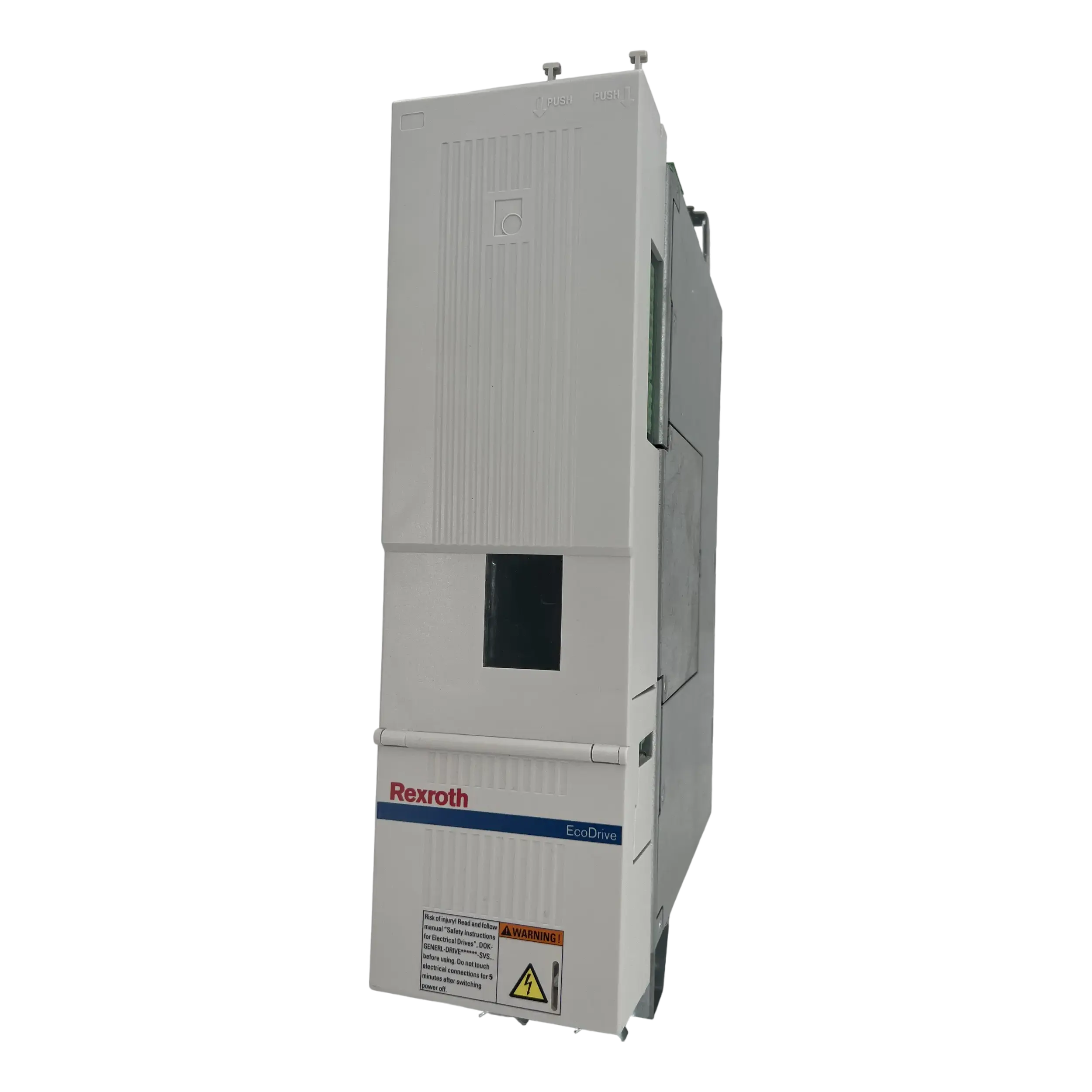
The DKC family includes multiple EcoDrive controller variations used in servo applications where precision positioning and dependable motion response are required. Common demand centers around DKC01, DKC02, and DKC03 drive controller series, including variants used in legacy Rexroth Indramat motion platforms. These controllers are frequently paired with servo motors and feedback devices in systems where machine uptime depends on stable power conversion, responsive control behavior, and clean encoder handling.
Customers searching for replacement units are often looking for exact or near-exact part number matches so the controller can be integrated back into the machine with minimal rework. In many cases, matching the original drive family and electrical characteristics is the most practical way to maintain application behavior, especially when the rest of the machine has been built around the existing EcoDrive platform.
DKC Part Number | Voltage Rating |
200–230 VAC | |
200–240 VAC | |
Voltage category 7 | |
200–240 VAC | |
3 × AC 380–480 VAC | |
200–480 VAC | |
200–480 VAC |
Request a Quote for DKC Drive Controllers
If you need a DKC drive controller, Indramat-USA can help you locate a replacement for your Bosch Rexroth Indramat EcoDrive system. This includes support for legacy DKC01, DKC02, and DKC03 drive controllers used in servo drive applications where uptime matters. If you already have a part number, send it over for quote review. If you are troubleshooting a failed unit and need help narrowing the likely controller issue, include the fault code, model number, and application details so the request can be reviewed more efficiently.
For pricing and availability, use the quote form on the site or call 1-919-443-0207. You can also email sales@indramat-usa.com to request a quote for DKC drive controller replacement options.
Frequently Asked Questions
What are DKC drive controllers used for?
DKC drive controllers are used in Bosch Rexroth Indramat EcoDrive systems to control servo motor performance in industrial automation equipment. They are commonly found in machine tools, packaging systems, and other motion-control applications.
What are common DKC drive controller fault codes?
When should a DKC drive controller be replaced instead of repaired?
Can a failing DKC drive controller cause machine downtime?
What information is needed to identify the correct DKC replacement unit?
Are DKC drive controllers still used in active systems?
What usually causes DKC drive controller faults?







