Request a Quote
Indramat PPC Controller Repair and Troubleshooting
Contact Indramat-USA today by calling 1-919-443-0207, filling out the quote form, or by sending an email to sales@indramat-usa.com to receive an industry competitive quote FAST.
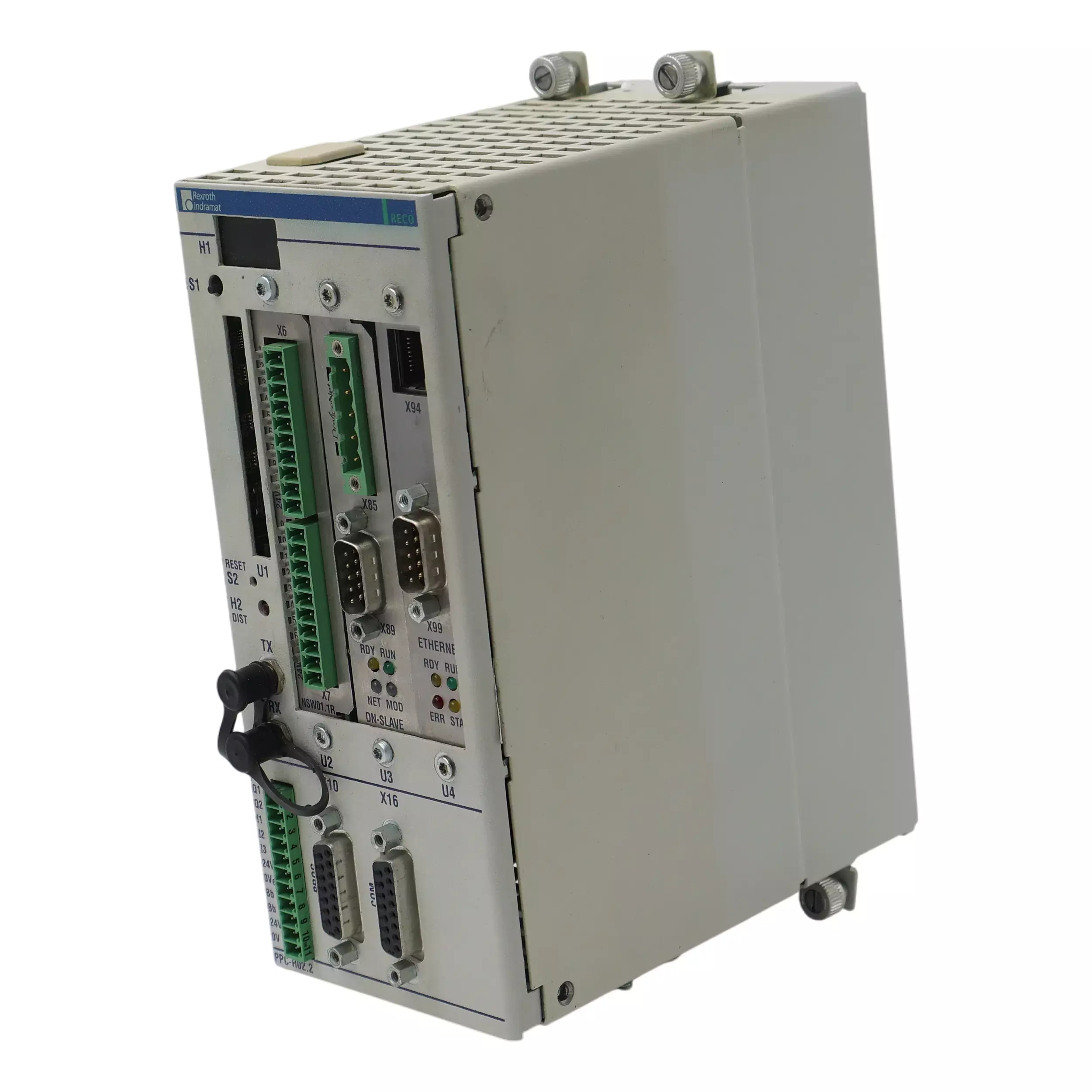
Indramat PPC controllers are sophisticated industrial computers used to control motion and logic in complex automation systems. PPC stands for a family of Programmable Positioning Controllers originally produced by Bosch Rexroth Indramat. These units serve as the brain of many multi-axis machine setups, coordinating the precise movements of motors and actuators on factory lines. In an industrial automation context, a PPC controller issues commands to servo drives, monitors feedback from sensors and orchestrates everything from simple point-to-point moves to intricate synchronized motion sequences. Put simply, if multiple axes of a machine must move in unison – for example, in a high-speed packaging line – a PPC controller is often at the core making sure every motion stays perfectly synchronized.
How PPC Controllers Function in Industrial Automation
Unlike a general-purpose PC, an Indramat PPC controller is purpose-built for real-time motion control. These controllers often mount in control cabinets or racks and interface directly with servo drive systems like the DIAX04 and EcoDrive series. Communication between the PPC and the drives is handled via the high-speed SERCOS interface – a fiber-optic loop that transmits real-time data to and from each drive. Through SERCOS, the PPC can start and stop motors, adjust speeds, and coordinate multiple axes with extremely precise timing. The controller typically runs specialized firmware (often referred to as VisualMotion or Synax firmware) which contains the motion logic program. Users program the PPC using Indramat's software tools (such as SynTop or the VisualMotion Toolkit), defining the motion profiles, positions, speeds, and logic sequences the machine must follow.
Each PPC unit usually has a small display and a few buttons (for example, S1 and S2 on many models) for basic diagnostics and resets. Internally, these controllers combine the functions of a PLC (programmable logic controller) and a motion coordinator. They can handle standard boolean logic for sensors and actuators while simultaneously executing multi-axis interpolations and camming functions for motion control. This dual capability makes them extremely powerful in automation settings – one PPC controller can essentially replace separate PLC and motion control units by doing both tasks in a unified platform. In practical terms, this means a PPC controller can keep a set of servo motors moving in lockstep. For instance, one PPC unit can synchronize several axes on a production line so that each part of a machine operates in harmony with the others, maintaining product quality and throughput.
Common Faults and Solutions for Indramat PPC Controllers (Synax 200 System)
Even a robust controller like the Indramat PPC can experience certain recurring issues, especially in the context of the Synax 200 motion control system. Synax 200 is one of the firmware platforms that many PPC controllers run (particularly in packaging and printing machinery), and it comes with a PC-based interface called SynTop for configuration and diagnostics. If something goes wrong, SynTop will display error messages that can help identify the problem. Below, we've compiled a table of some common fault messages that users might encounter with PPC controllers in a Synax 200 setup, along with the likely causes and recommended solutions.
Section 1: Communication and Initialization Errors
| Error Code | Description | Solution |
| F01 (01) | SERCOS interface fiber-optic ring break detected (communication loop is open). | Power off the system and inspect the SERCOS fiber-optic cables. Repair or reconnect any broken/disconnected fiber loop, then power the controller back on to restore communication. |
| F02 (02) | No drives detected on SERCOS loop (ring is closed but the PPC finds no drive nodes). | Check that all drives in the SERCOS loop are powered on and properly connected. Verify each drive’s address is set correctly (not “0”). Once drives are online with unique addresses, restart the controller. |
| F03 (03) | Error during transition to phase 3 communication (drive parameter initialization incomplete). | A drive reported an initialization error. Use diagnostics to identify the specific drive (e.g., via C1/xx code), resolve its issue, then clear errors and reinitialize the system. |
| F04 (04) | Error when switching the controller into Operating Mode (phase up failure). | A drive faulted during startup. Check drive diagnostic messages (e.g., C2/xx) for encoder or configuration errors, resolve the fault, and restart the controller. |
| F05 (05) | SERCOS interface double telegram failure (a drive’s communication telegram failed twice). | Inspect and test the fiber-optic ring for integrity. If the ring is fine, identify and repair or replace the malfunctioning drive. |
| F06 (06) | Fiber-optic ring not closed (controller waiting indefinitely for loop closure). | Ensure all drives are powered and connections are closed. Check for open fiber links or drives not powered on. Once loop closure is confirmed, PPC will proceed. |
| F07 (07) | Drive addresses mismatch – configured addresses do not match actual drives present. | Match the PPC’s projected drive list to the actual connected drives. Remove deactivated addresses, ensure no duplicates, and reboot the controller. |
| F08 (08) | Maximum number of drives/functions exceeded – too many devices or features for cycle time. | Reduce the number of drives or disable optional functions per drive. Simplify configuration to match system capabilities and reboot the controller. |
| F09 (09) | Fatal error occurred – PPC requires reset (serious SERCOS or OS error). | Check for any root errors (F01, F05, etc.), resolve them, then reset or power-cycle the controller. If F09 recurs, repair may be required. |
| F10 (10) | PPC internal memory error (RAM self-test failed during operation). | This is a hardware issue. Replace or repair the PPC controller and verify operation post-repair. |
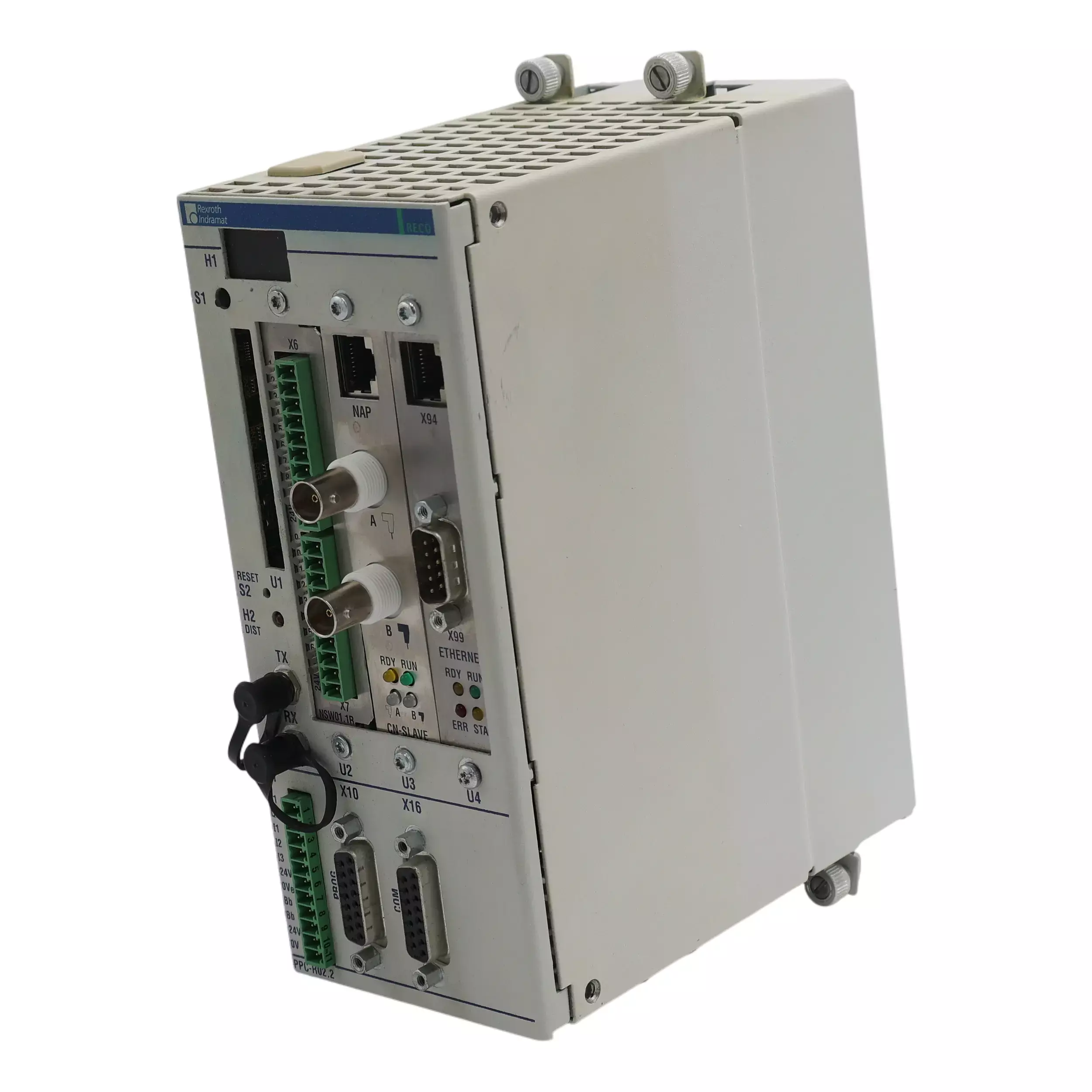
The PPC-R02.2N-N-N1-L2-T2-FW is a control unit manufactured by Bosch Rexroth Indramat, part of the PPC Controllers series. It features a ControlNet fieldbus slave interface (CNS01), an Ethernet 10 Mb interface (ETH01), and an Option Card PLS module (NSW01). Housed in a RECO unit design with Series 2 firmware, the factory-assigned configuration and design version ensure compatibility. Memory expansion is not equipped.
Section 2: Parameter and Configuration Errors
| Error Code | Description | Solution |
| F12 (12) | Parameter value out of range – a PPC parameter exceeds its allowed min/max limits. | Connect to the PPC with configuration software, identify and adjust invalid parameters (e.g., via parameter C-0-0068), and reinitialize the system. |
| F14 (14) | PPC checksum error – parameter memory checksum is incorrect (possible data loss). | Reload a valid parameter set or use SynTop to correct affected parameters. Once memory integrity is restored, clear the error. |
| F15 (15) | General configuration error – one or more parameters are invalid, triggering sub-error codes. | Use diagnostic tools to view sub-codes (C-0-0046, C-0-0047, C-0-0048), resolve the flagged issues, and reinitialize the controller. |
| F15 (22) | Parameter limit mismatch – a minimum limit value is set higher than its maximum value. | Locate the parameter in question and correct the min/max values to fall into proper order. Reinitialize the PPC afterward. |
| F15 (34) | Local bus input module missing at indicated slot (slot xx). | Install the required input module or remove the configuration reference to the missing input module from the setup. |
| F15 (35) | Local bus output module missing at indicated slot. | Similar to F15(34), either install the expected output module or edit the configuration to no longer reference the absent hardware. |
| F15 (144) | Mismatched list lengths – two parameter lists have unequal entries. | Align the lengths and contents of the specified parameter lists so each item has a corresponding match. |
| F15 (145) | Duplicate identifier detected – an ID number appears twice in a parameter list. | Remove or edit the duplicate entry so that all identifiers in the list are unique. |
| F15 (152) | Interbus process data length not supported. | Configure input/output data lengths within valid ranges for InterBus, ensuring they’re also of equal length if required. |
| F15 (153) | Parameter channel enabled without Profibus. | Disable the parameter channel feature if Profibus isn’t configured, or activate Profibus properly to match the setting. |
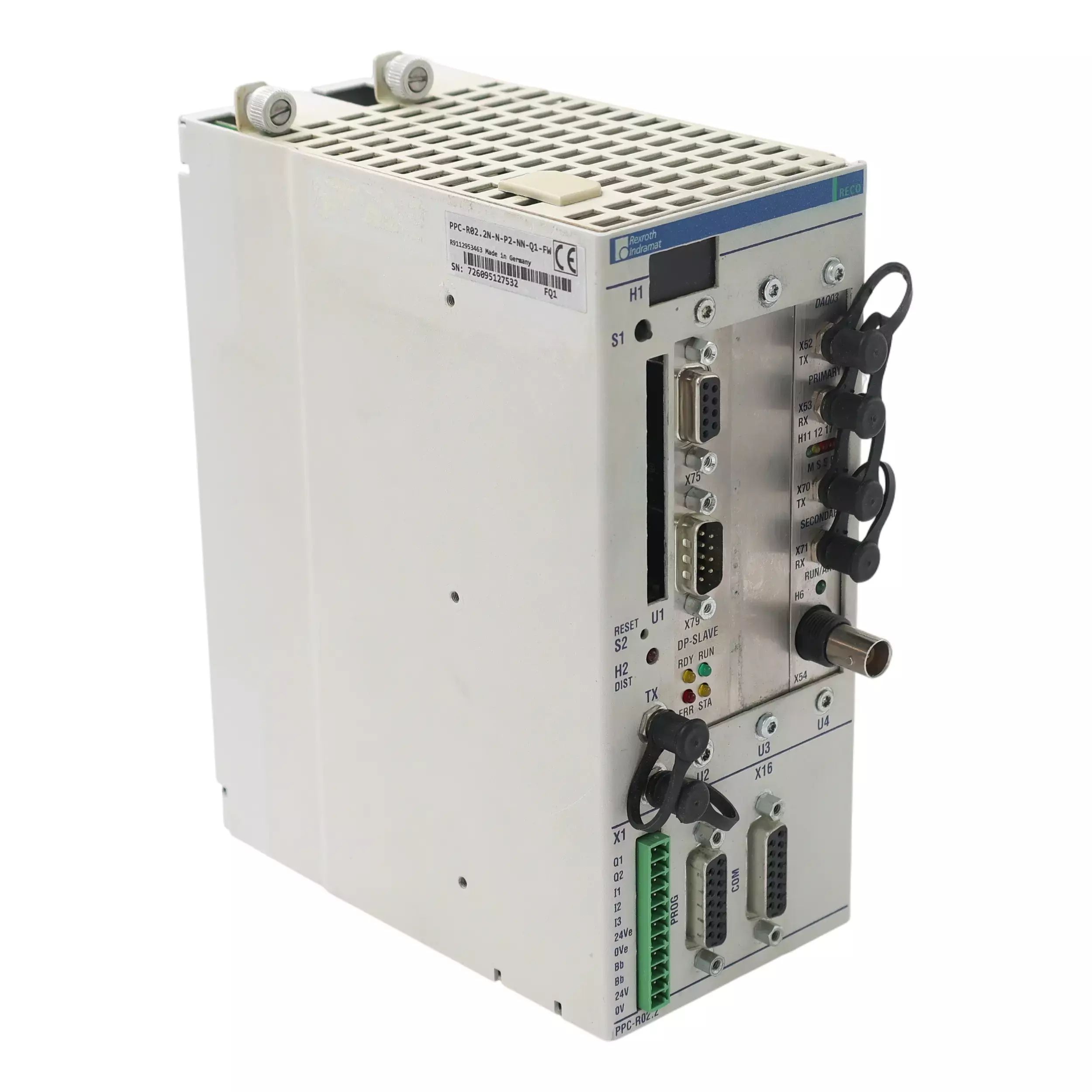
The Bosch Rexroth Indramat PPC-R02.2N-N-P2-NN-Q1-FW from the PPC Controllers series by Bosch Rexroth Indramat features a rated value of 24 VDC and integrates seamlessly into the RECO02 module carrier system.
Section 3: Axis and Function Configuration Errors
| Error Code | Description | Solution |
| F15 (160) | Multiple register controllers on one axis. | Ensure that only one register control function is assigned to each axis. Remove extra assignments from configuration. |
| F15 (161) | Winding axis not set as speed synchronized. | Either disable winding on that axis or configure it as speed-synchronized using parameter A-0-0003. |
| F15 (162) | Electronic gear ratio must be 1:1 for certain control modes. | Adjust drive gear ratio parameters (S-0-0236 and S-0-0237) to reflect a 1:1 ratio. |
| F15 (165) | Analog channels source/target list length mismatch. | Match the number of entries in source (C-0-0039) and target (C-0-0040) analog lists. |
| F15 (166) | Enabled analog channel not linked to any source. | Either deactivate unused analog channels or link each to a valid source in parameter C-0-0039. |
| F15 (167) | More than one process controller on the same axis. | Configure only one process control type per axis. Remove any extras. |
| F15 (174) | Master drive gear not available for tension control. | Switch to a compatible drive or choose an alternate method for tension control that’s supported by your current drive firmware. |
| F15 (175) | Process controller proportional gain too high. | Reduce the value of parameter A-0-0030 to a safer range and retest the control function. |
| F15 (176) | Analog channel not defined for process control feedback. | Assign a valid analog input as feedback source using parameters A-0-0027 and C-0-0040. |
| F15 (177) | Analog channel for process control not activated. | Activate the required analog channel using parameter A-0-0008 and ensure source/target links are correctly configured. |
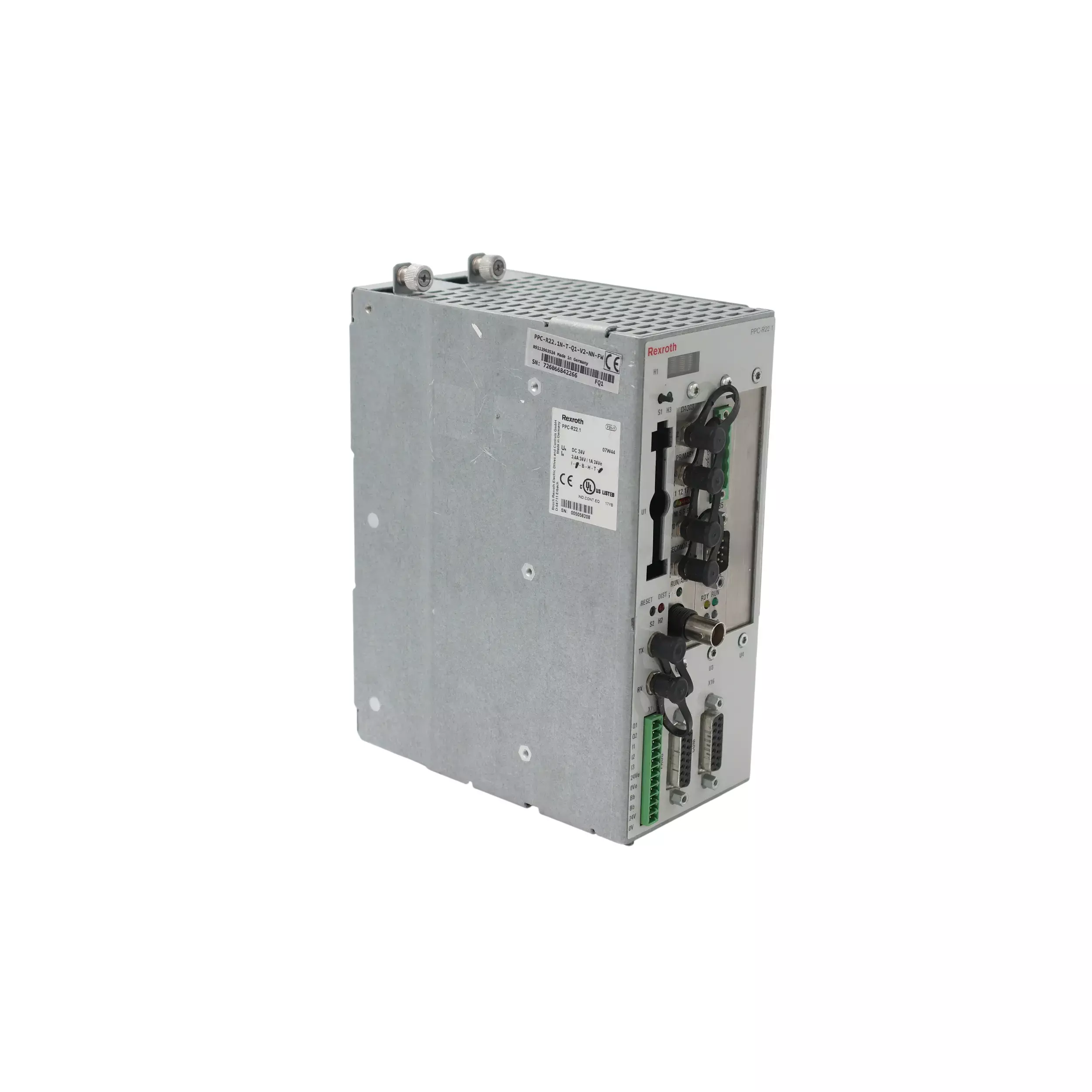
The Bosch Rexroth Indramat PPC-R22.1N-T-Q1-V2-NN-FW control unit in the PPC Controllers series features a DeviceNet fieldbus slave interface. It communicates via DAQ03 and operates within 19.2 to 30 VDC rated at 24 VDC. The unit uses a RECO housing design and its input tolerance is -15%/+20% per EN61131-2.
Section 4: Hardware, OS, and Fieldbus Errors
| Error Code | Description | Solution |
| F91 (91) | SERCOS ASIC initialization error. | Replace the PPC controller, as the SERCOS ASIC or related memory has failed. |
| F92 (92) | PPC dual-port RAM error. | Ensure no devices write to memory during power-up; if error persists, repair or replace the PPC. |
| F93 (93) | DAQ module SERCOS ASIC init error. | Replace the faulty DAQ module. Power up with a known-good unit. |
| F94 (94) | PPC hardware version incorrect. | Install a PPC hardware version that meets the firmware requirements (e.g., version ≥2.2). |
| F95 (4000 + x) | Operating system error. | Record the exact error number (4001, 4002, etc.) and contact a qualified repair service for support. |
| F97 (260) | SPS firmware version incompatible. | Align the firmware versions between the PPC and the connected Indramat SPS. Update one or both as needed. |
| F97 (261) | SPS cycle counter dead. | Ensure the SPS (PLC) is powered, running, and cycling normally. Restart if halted. |
| F97 (262) | SPS reports an error. | Diagnose and clear the fault in the SPS. Once the PLC resumes normal operation, the PPC error will clear. |
| F98 (3000 + y) | Drive error (external). | Identify and fix the faulted drive; F98 clears automatically once the drive error is resolved. |
| F21 (230/231) | SERCOS communication or transmission timeout during initialization. | Check fiber connections, power status of all drives, and retry initialization. Replace any non-responsive drives if needed. |
The Bosch Rexroth Indramat PPC-R22.1N-T-V1-NN-NN-FW is a control unit from the PPC Controllers, featuring a RECO unit housing design, not equipped memory expansion, and design version 1. Operating within a permissible range of 19.230 VDC with a rated value of 24 VDC and a tolerance of -15%/+20% (EN61131-2 1994).
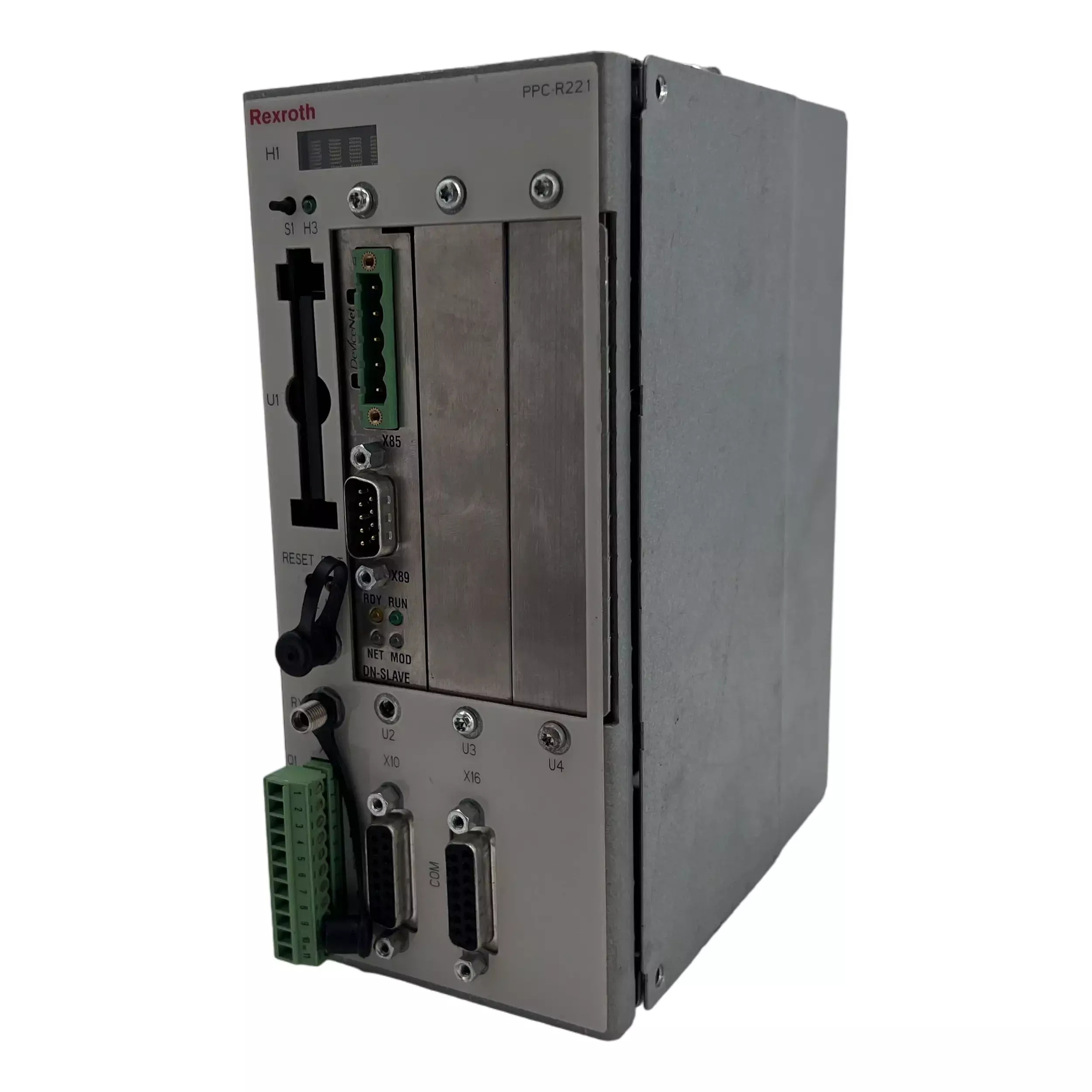

Indramat-USA – Expert PPC Controller Services
When PPC controllers fail or show errors, Indramat-USA is the go-to solution for quick and professional restoration. We specialize in the repair, refurbishment, and replacement of Indramat PPC controllers, offering a one-stop service to minimize your downtime. Our team has decades of experience working with Indramat’s legacy motion control systems, giving us deep insight into PPC hardware and firmware quirks that general electronics repair shops might miss. We understand the critical role these controllers play – a downed PPC can bring an entire production line to a halt – so our approach is both thorough and swift.
Call 1-919-443-0207, place a quote, or send an email to sales@indramat-usa.com to receive a quote on your PPC TODAY.
Frequently Asked Questions
What is a PPC controller, and why is it important in automation systems?
A PPC (Programmable Positioning Controller) is an industrial motion controller used to manage and synchronize the movements of multiple machine axes. It serves as the command center for servo drives, enabling precise control over motors in systems like packaging lines, printing presses, and material handling equipment. Without a functioning PPC controller, many automation systems cannot operate reliably or at all.
How can I tell if my Indramat PPC controller needs repair?
Does Indramat-USA support all PPC controller models?
Are Indramat motors still made?
How does shipping work at Indramat USA?
What warranty coverage does Indramat USA provide?
Can Indramat USA ship on my account?







